HBM | October 14, 2026
Your Business Phone System Should Support the Way You Work Now
Phone calls remain one of the most important ways customers reach a business, but the technology behind those calls has changed. Traditional phone systems rely on physical phone lines and on-site equipment, while Voice over Internet Protocol, commonly called VoIP, carries calls through an internet connection and can connect phones, computers, and mobile devices through one platform.
For businesses comparing phone systems in Northwest Florida, both options can provide basic calling. The more meaningful differences involve flexibility, maintenance, remote access, collaboration features, business continuity, and how easily the system can adapt when the company changes.
What Is a Traditional Business Phone System?
A traditional business phone system uses physical telephone lines and, in many cases, on-site hardware that routes calls to extensions throughout an office. Employees typically use desk phones tied to a specific location.
Traditional systems can feel familiar and straightforward, especially for organizations with stable staffing and no need for remote work. However, adding lines, relocating extensions, replacing aging hardware, or supporting employees outside the office may require additional equipment and service.
What Is a VoIP Phone System?
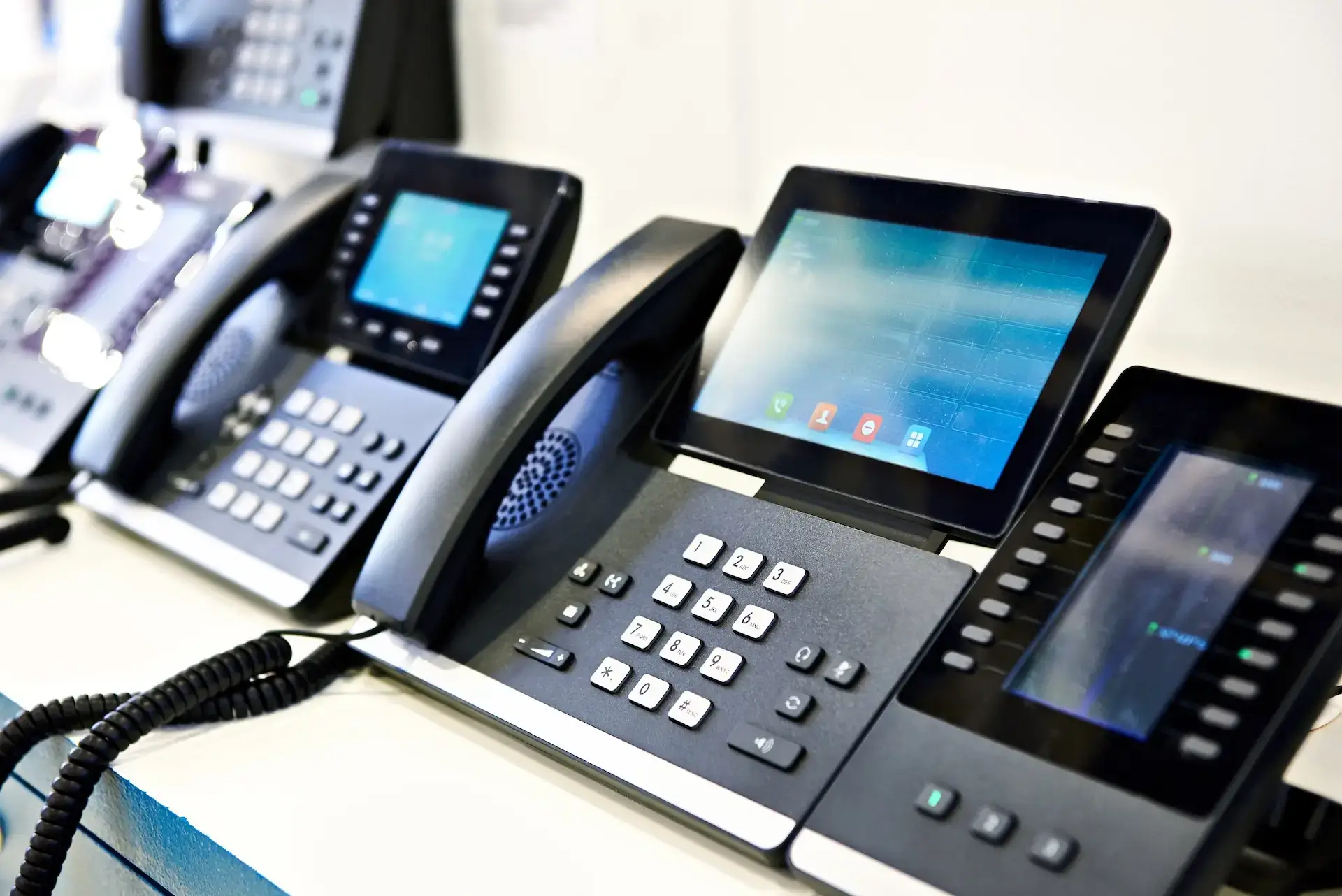
A VoIP system sends calls through an internet connection instead of relying entirely on traditional analog phone lines. Employees may use desk phones, desktop applications, mobile apps, or a combination of devices connected to the same business number and account.
Modern cloud-based systems can also bring voice calls together with video meetings, team messaging, file sharing, voicemail, call routing, and other communication tools. HBM’s cloud-based business communications and VoIP solution is designed to connect employees across office, desktop, and mobile environments.
VoIP vs. Traditional Phone Systems at a Glance
| Consideration | Traditional phone system | Cloud-based VoIP system |
| Connection | Physical phone lines | Business internet connection |
| Primary devices | Office desk phones | Desk phones, computers, and mobile devices |
| On-site hardware | Often required | Usually reduced or managed through the cloud |
| Remote work | Limited without additional setup | Designed for access from multiple locations and devices |
| Adding users | May require new lines or hardware | Users can generally be added through the platform |
| Collaboration | Primarily voice calling | May include voice, video, chat, and file sharing |
| Maintenance | On-site equipment may require service | Platform updates and management are commonly handled in the cloud |
| Best fit | Stable, single-location environments with basic calling needs | Growing, mobile, hybrid, or multi-location organizations |
The right option depends on how the business communicates, not simply which technology is newer.
Compare Setup and Ongoing Costs
Traditional systems may require physical lines, on-site equipment, installation, maintenance, and hardware upgrades. Costs can increase when a company adds employees, opens another office, or needs new capabilities that the existing system does not support.
Cloud-based VoIP often reduces the amount of phone-system hardware a business must own and maintain. Pricing is commonly based on users and selected services, which can make recurring expenses easier to understand. Businesses should still account for desk phones, internet service, network readiness, installation, training, and any optional features.
The best comparison should include several years of expected costs rather than only the initial quote.
Consider How Employees Work
A traditional phone system may be enough when every employee works from the same office and performs most communication from a desk. It becomes less convenient when employees travel, work remotely, rotate between locations, or need access to business calls outside the building.
VoIP can allow employees to use the same business identity across a desk phone, computer, or mobile device. This makes it easier to answer calls, review voicemail, join meetings, and communicate with coworkers without relying on a personal phone number or a single physical extension.
Decide Whether One Platform Could Replace Several Tools
Many businesses rely on separate services for phone calls, video meetings, internal messaging, and file sharing. That can create multiple bills, logins, support contacts, and disconnected conversations.
An all-in-one cloud communications platform may combine these functions in one place. HBM’s Elevate solution includes digital phone service, video conferencing, real-time team chat, and file management. Consolidation may simplify daily communication, but the business should confirm which existing tools and workflows the new platform would replace before making the change.
Evaluate Reliability and Business Continuity
Every phone system needs a plan for service interruptions. Traditional lines can be affected by damaged infrastructure or problems with on-site equipment. VoIP relies on internet and network availability, so connection quality and backup planning matter.
Cloud-based systems can provide more flexibility when employees cannot access the usual office. Calls may be redirected to mobile devices or another location, helping the business remain reachable during a building closure, local outage, or storm-related disruption. Northwest Florida businesses should discuss internet redundancy, power backup, mobile access, and call-forwarding procedures as part of any phone-system decision.
Check Whether Your Internet and Network Are Ready
VoIP call quality depends on a stable business internet connection and a network configured to handle voice traffic. Slow service, outdated network equipment, weak internal coverage, or heavy congestion can affect call performance.
Before switching, assess available bandwidth, routers, switches, cabling, Wi-Fi coverage, security settings, and backup connectivity. This does not mean every business needs a complete network replacement. It means the phone system and the network should be evaluated together so employees receive the experience they expect.
Include Security in the Decision
Business calls, voicemail, contact information, shared files, and meeting data may contain sensitive information. Any communications platform should include appropriate account controls, encryption, user permissions, updates, and employee training.
VoIP does not remove the need for security planning. Businesses should use strong passwords, multi-factor authentication when available, controlled administrator access, and a process for removing former employees promptly. Providers should also explain how data is protected and how the platform is monitored and maintained.
Signs Your Business May Have Outgrown Its Phone System
It may be time to evaluate a new system if:
- Employees cannot easily answer business calls away from their desks.
- Adding or moving an extension requires significant time or expense.
- Customers regularly reach the wrong department or an unanswered line.
- The company pays for separate calling, meeting, messaging, and file-sharing tools.
- Multiple offices operate with disconnected phone systems.
- Aging hardware is becoming difficult or expensive to maintain.
- Voicemail and call routing no longer match the way the team works.
- The business lacks a clear plan for remaining reachable during an office closure.
These issues do not automatically mean VoIP is the only answer. They do indicate that the current system should be compared with newer options.
Questions to Ask a Business Phone Provider
Before choosing a system, ask:
- Can we keep our existing phone numbers?
- Which desk phones, computers, and mobile devices are supported?
- What calling, routing, voicemail, meeting, and messaging features are included?
- How are new employees and locations added?
- What internet and network requirements must we meet?
- What happens to calls if our office loses power or internet service?
- How are software updates, security, and administration handled?
- What training and ongoing support are included?
- Which costs are one-time, recurring, or based on usage?
A clear proposal should explain both the technology and how the transition will affect employees and customers.
Frequently Asked Questions About Business Phone Systems
Is VoIP Good for a Small Business?
VoIP can be a strong fit for small businesses that want professional call management, mobile access, easier growth, or several communication tools in one platform. The right choice depends on internet reliability, required features, budget, and how employees work.
Can a Business Keep Its Existing Phone Numbers When Switching to VoIP?
In many cases, existing numbers can be transferred to the new provider. The process should be planned carefully so the old service is not disconnected before the transfer is complete.
Does VoIP Work During a Power Outage?
Office phones and network equipment may stop working without power unless backup systems are in place. Cloud-based platforms may still allow calls to be redirected or answered through mobile devices using another available connection. Businesses should confirm the provider’s continuity options and create an outage plan.
Does VoIP Require New Desk Phones?
That depends on the existing equipment and the selected platform. Some compatible phones may be reused, while others need to be replaced. Employees may also be able to place calls through desktop or mobile applications.
Where Can I Find Business Phone Systems in Northwest Florida?
Harris Business Machines helps businesses across Panama City, Pensacola, Fort Walton Beach, and nearby Gulf Coast communities evaluate cloud-based phone, video, messaging, and file-sharing solutions.
Choose a System That Can Grow With Your Business
Traditional phone systems can still meet straightforward calling needs, while cloud-based VoIP provides greater flexibility for mobile employees, growing teams, and businesses that want communication tools in one platform. The best choice is the one that supports how the company operates today and where it expects to go next.
If you are comparing business phone systems in Northwest Florida, contact Harris Business Machines to discuss your locations, employees, network, call flow, and communication needs. Our team can help you determine whether a cloud-based solution is the right next step for your business.